
Native macOS Git GUI
Focused Git work for teams juggling more than one repository.
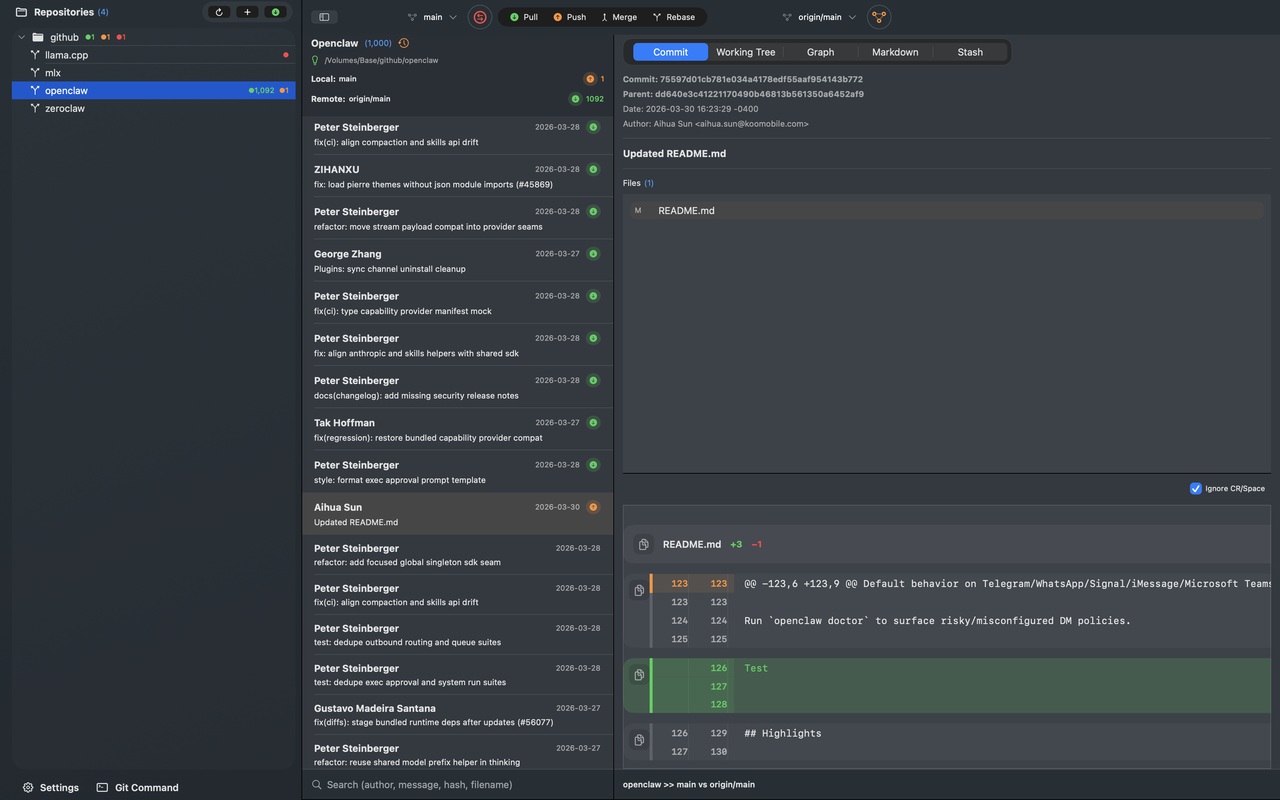
GitBoxIt helps you move through commit review, working tree changes, stashes, conflicts, and branch comparison in one native Mac app that stays readable even as your repo list grows.
Built for macOS teams that want app-like speed instead of browser-style Git tooling.
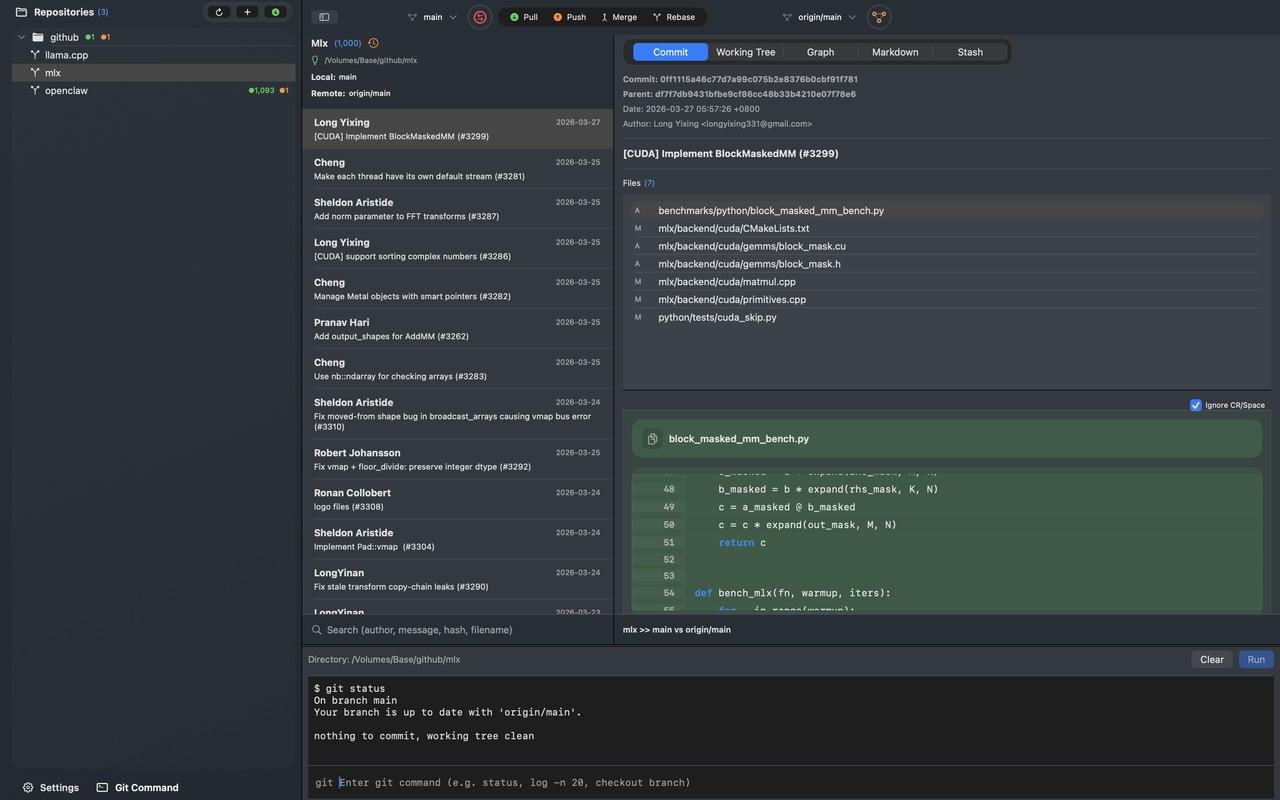
- Multi-repo Switch between grouped repositories instantly.
- Working Tree Review tracked and untracked files with full file-level detail.
- Native macOS Built for Apple platforms with a focused Git workflow.
- Local vs remote Compare local and remote commits clearly before you pull, push, or rebase.
- Search commits Find commits fast by author, message, hash, or filename across your history.
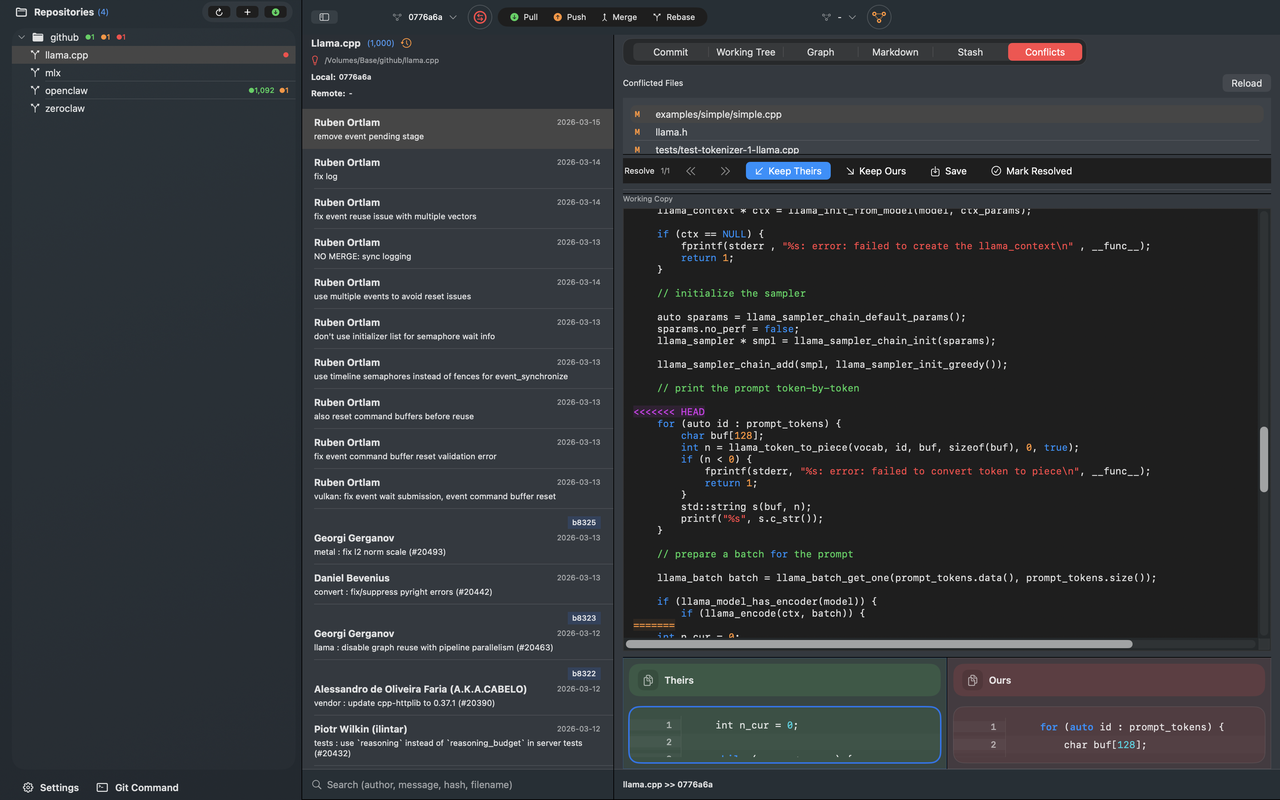
- Conflict ready Resolve merge and rebase conflicts with dedicated panes instead of bouncing to another tool.
Product Screens
See GitBoxIt across the workflows that matter most.
Made for daily Git work
Inspect commits, compare branches, manage stashes, and review diffs in one native workspace.
Multiple repositories, one flow
Use groups, badges, and fast switching to keep large Mac codebases under control.
Conflict handling that feels humane
Keep ours, keep theirs, save, mark resolved, and continue without dropping back to a terminal.
Why teams like it
Designed around the actual Git chores that eat up a day.
Repository overview
Monitor incoming, outgoing, and dirty states across repositories from one sidebar.
Working Tree control
Select files, create patches, stash subsets, discard changes, and commit with confidence.
Readable diffs
Syntax-highlighted diff views make review work easier without the noise of a browser-heavy tool.
Markdown and terminal
Edit repo documentation, preview markdown, and drop into Git commands right inside the app.
Ready to try GitBoxIt?